Readings for a Japanese address
How to fill in address furigana: numbers, buildings and where to start
First identify which part of the address the reading field covers. Then enter its place and building names in the requested kana. Check the form before including street or apartment numbers.
Format a confirmed kana spellingYou have entered the address, then another box asks for furigana. Check whether it covers the whole address or just the building and room before adding the reading.
Split the address into four parts
Try 東京都千代田区丸の内1-2-3 あおぞらハイツ205. Separating the place names, street numbers, building and apartment number makes it easier to match each part to a field. The street numbers, building and apartment in this practice example are invented.
Check place-name readings with Japan Post and building readings with the lease or building manager. For example, あおぞらハイツ becomes アオゾラハイツ in Katakana. Confirm the pronunciation before changing its format.
Prepare the parts before filling in the form
The readings below use full-width Katakana. Use Hiragana instead when the destination form asks for it.
| Part of the address | Original text | Reading or action |
|---|---|---|
| Place names | 東京都千代田区丸の内 | トウキョウトチヨダクマルノウチ |
| Block and street numbers | 1-2-3 | Check for separate number fields and the characters the reading field accepts |
| Building name | あおぞらハイツ | アオゾラハイツ |
| Apartment number | 205 | Keep digits or use a separate apartment field as instructed |
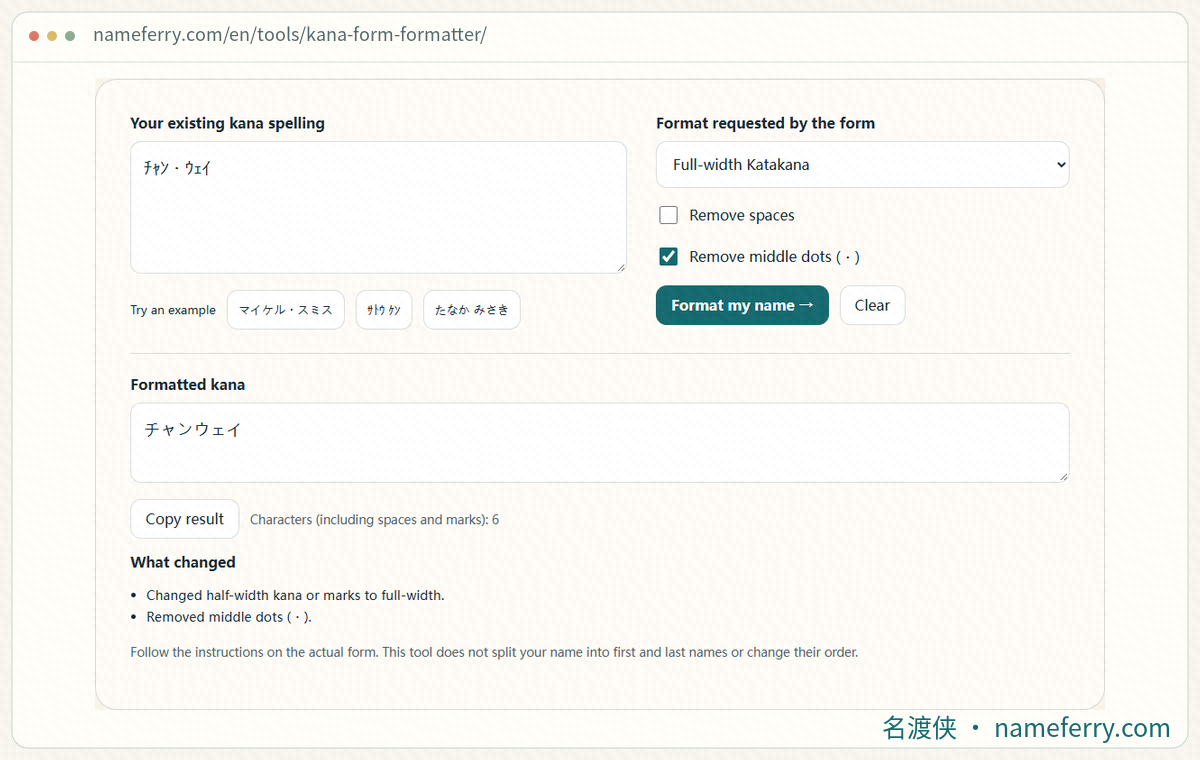
A preparation step in NameFerry’s kana formatter: adjust the width of a confirmed kana-only fragment. Enter address numbers and hyphens separately as the destination form requests.
1. Does the field cover the whole address or just the remainder?
Enter the postal code and select the suggested locality first. Look for separate fields labelled 都道府県 (prefecture), 市区町村 (municipality), 丁目・番地・号 (street numbers) and 建物名・部屋番号 (building and apartment). Read the label and example beside the kana field.
A 建物名フリガナ field asks for the building-name reading. A full-address reading field starts where its instructions say. Keep automatically selected place names out of a field that asks only for the remaining address.
2. Keep the numbers ready, then check where they belong
For 1-2-3, look for separate 丁目, 番地 and 号 fields. Put the numbers there when those fields exist. If the reading field accepts digits, follow its example; avoid turning the numbers straight into イチ・ニ・サン.
Check the short hyphen in a street number separately from the vowel mark ー in アパート. When changing number separators, retain the building name’s vowel marks. An error message may specify digit width, punctuation or character type.
3. Confirm the building reading and the apartment field
For a building name containing kanji, check the manager’s documents or ask for the reading. Look up established readings for letters and abbreviations too, rather than guessing from their spelling.
If a form asks only for the remaining address and permits half-width digits, the practice example’s remainder can be prepared as アオゾラハイツ205. Check its rules for spaces and separate apartment fields before entering it.
One official example of a split address form
SMBC’s address-change help separates street numbers from the remaining address. Its later kana field covers that remainder and accepts full-width Katakana with half-width digits. The remainder can be blank when earlier fields complete the address. Follow SMBC’s steps when using that form.
4. Find the reading, then type the kana
Search Japan Post with the actual postal code or address and check the matching locality. Place names use their Japanese readings. NameFerry’s Chinese-name converter is designed for personal names, so keep address kanji out of that workflow.
Once the reading is confirmed, type it with a Japanese keyboard. The kana formatter can adjust a kana-only segment’s script or width. A complete address containing kanji, digits and hyphens needs those parts handled separately.
Look up the address with Japan Post
On a résumé, check the written address as well
Hello Work Urakawa advises including the building and apartment in the written address. Its name-reading guidance also distinguishes Hiragana and Katakana. Check the address-reading example on the résumé template you are actually using.
Before submitting, compare the address and reading: missing building name, repeated locality, mismatched numbers, kana type, width and length. If an error remains, keep the original text and change one item at a time according to the message.
Common questions
Must I spell out address numbers in kana?
Check for separate number fields and permitted characters first. Retain digits when the form’s example allows them, or put them in the dedicated street-number fields. Avoid converting numbers to kana automatically.
The postal code filled in the locality. Should I repeat it?
Check which part the reading field covers. Enter only the remainder or building name when requested; start at the stated location when the full-address reading is required.
Should I include the building and apartment number?
Complete the written address as instructed. Confirm the building reading when requested, put the apartment number in its designated field, and check whether the kana field also includes it.
Can I paste the entire address into the kana formatter?
The formatter handles confirmed kana spellings. Address kanji, digits and hyphens need separate handling. Check place readings with Japan Post and the building reading with the building manager first.
Official references
Prepare the rest of your Japanese text
How do you read a Chinese name in Japanese?
Check Chinese personal names separately, including Japanese readings, Katakana and Romaji.
Katakana name rejected?
Troubleshoot rejected kana by checking width, separators, pasted text and length.
Type Japanese on a computer or phone
Set up Japanese input and practise ん, small letters, conversion and phone flick input.
Save your name’s furigana in Chrome
Save a phonetic name in Chrome and check script, family-name splitting and returning old suggestions.
Confirm the reading, then format it
Take just the kana segment, adjust its character width and return to the original form.